
How SortMe Goals Work
Trying to figure out what a Goal actually does in SortMe, or why your numbers aren't quite lining up with what you expected? Here's the short version: Goals are tied to a real bank account, not to your budget — and once you understand that, the rest falls into place.
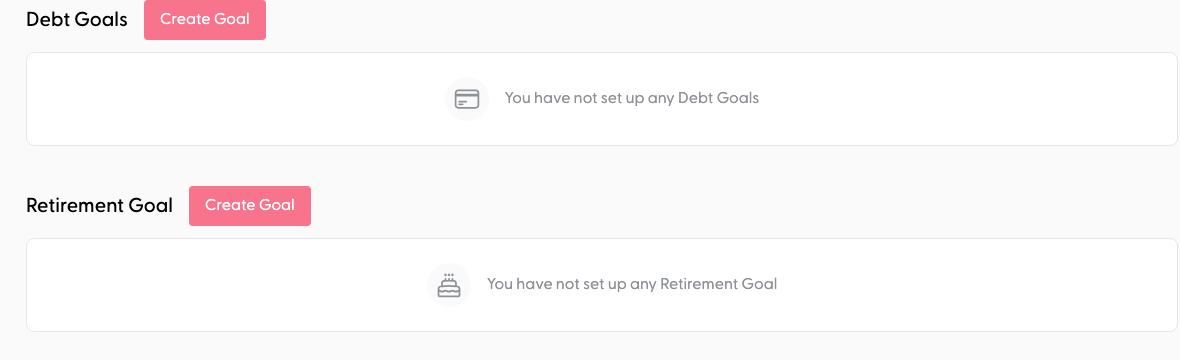
There are three types of Goal: Savings, Pay Debt, and Retirement. They all share the same core idea (a Goal watches an account), but each type has a slightly different job.
What is a Goal?
A Goal is a target you're working towards — a deposit on a house, a holiday, an emergency fund, paying down your mortgage, or your KiwiSaver balance. You give it a name, a target amount, and you attach a bank account to it.
From that point on, SortMe watches that account for you.
How Savings Goals track progress
Your Goal's progress is the balance of the account you attached to it.
That's the whole trick. You don't need to "send" money to a Goal or match individual transactions to it. If you've got a Savings account attached to your "Holiday" Goal and it's sitting at $1,240, your Goal shows $1,240. When your next pay-cycle transfer of $200 lands in that account, the Goal updates to $1,440 automatically.
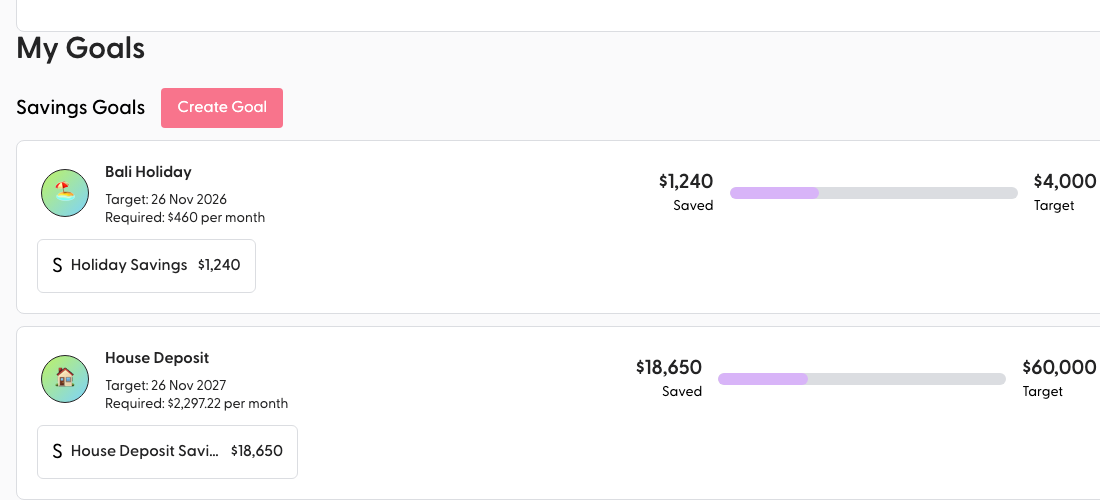
This includes anything that goes out of that account every pay cycle too — so if you're contributing $200 per fortnight to savings, you'll see those contributions reflected, and you don't have to do anything to "connect" them to the Goal.
Pay Debt Goals — the same idea, in reverse
A Pay Debt Goal is for an account you owe money on rather than money you have — a credit card, a personal loan, your mortgage, a revolving credit account. The mechanic is the same (the Goal watches the account), it just runs the other way.
Here's what's different:
- You attach a liability account with a negative balance. SortMe will only let you create a Pay Debt Goal against an account that's actually in debt.
- The target is set automatically. When you create the Goal, SortMe takes a snapshot of what you currently owe — that becomes your starting balance, and your target is to get the account to zero.
- Progress is how much the debt has shrunk. If you started at -$8,000 owing and you're now at -$5,000, you've made $3,000 of progress toward the Goal.
- The required monthly payment shown on the Goal is the amount you'd need to pay each month to clear the debt by your target date.
One debt account, one Pay Debt Goal — you can't stack two debt Goals on the same account, and you can't mix a debt Goal and a savings Goal on the same account either (it wouldn't make sense; the balance is either growing or shrinking).
Retirement Goals — the long-game variant
A Retirement Goal is a special kind of savings Goal designed for accounts you're not planning to touch for years or decades — your KiwiSaver, a long-term investment account, your retirement fund. You attach the account, set a target, and SortMe tracks the balance the same way a Savings Goal does.
The important difference: Retirement Goals are excluded from the "required monthly payment" calculations that drive your Cashflow Forecast and budget pressure. That's intentional. If we counted a 30-year retirement target the same as a 6-month holiday Goal, your forecast would tell you you need to save thousands a month and your budget would look broken. Retirement runs on its own track.
You can have one Retirement Goal in SortMe, and it can sit alongside one Savings Goal or one Pay Debt Goal at the same time — useful if, for example, you're paying down a credit card AND watching your KiwiSaver balance grow in parallel.
Goals vs Budget — what's the difference?
This is the most common point of confusion, so it's worth being clear:
- Your Budget tracks your month-to-month spending — what's coming in, what's going out, and how it's split across categories (Groceries, Rent, Savings, etc).
- A Goal tracks the balance of one specific account against a target.
They're two separate views, not two halves of the same thing. You can absolutely have a "Savings" category in your budget that funds the account behind a Goal — and that's a great setup — but there isn't a direct link between a budget line item and a Goal. The Goal just watches the account.
So if your budget says "$200/fortnight to Savings" and that money lands in your Goal's attached account, the Goal will reflect it. No manual matching needed.
Want to categorise those contributions for reporting?
Even though Goals don't require you to tag transactions, you can still categorise the money flowing into your Goal's account if you want clean Spend Overview reporting (e.g. tagging your fortnightly transfer as "Savings"). The Goal balance itself isn't affected by how you categorise — it just follows the account.
If you need to clean up how those transactions are tagged, our guide on Re-Categorising a Transaction walks through it.
What about one-off expenses?
Goals are designed for things you're saving toward (or paying down) — a balance that changes over time. They're not the right tool for tracking a single upcoming expense like a one-off holiday payment or a tax bill.
For that, head to your Cashflow Forecast. You can add one-off items there and see exactly how they'll affect your balances in the weeks ahead.
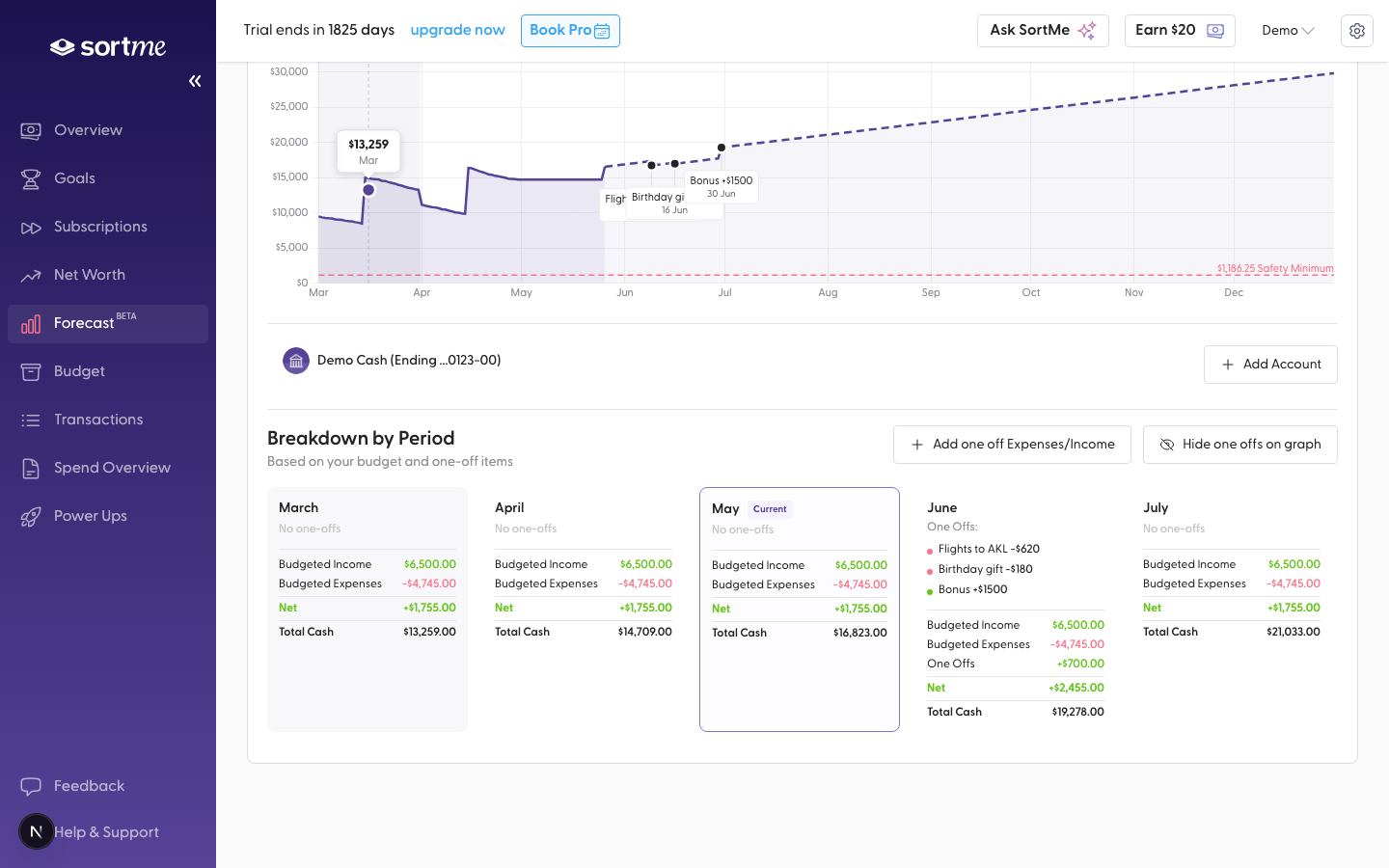
(If your holiday savings are in their own account and you want to watch the balance grow, then yes — a Goal is perfect. If you just want to know "will I have enough on the 14th?", that's Forecast territory.)
Setting up a Goal — quick recap
- Make sure the account you want to track is connected to SortMe.
- Create a new Goal, give it a name and a target amount, and pick the type (Savings, Pay Debt, or Retirement).
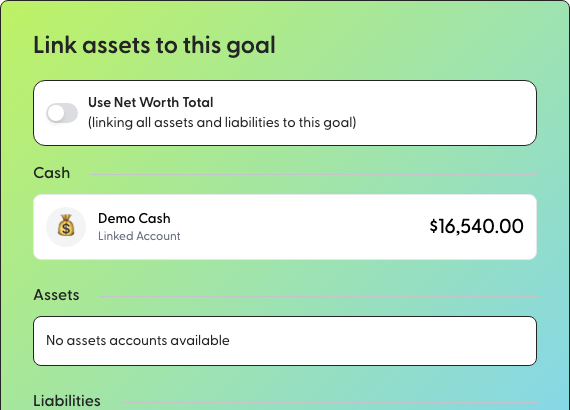
- Attach the account.
- That's it. SortMe will track the balance from there.
Still not sure?
If you've set up a Goal and the numbers don't look right, or you're not sure which Goal type fits what you're planning — book a 1-on-1 with the team or flick us a message and we'll get you sorted.